You can now view all of your "notifications" in the Notification Center on the web. If you have elected to receive the notifications through the app, they will come to your phone as well. Either way, you can always go back and view them in the Notification Center. (If your organization is sending out Notifications).
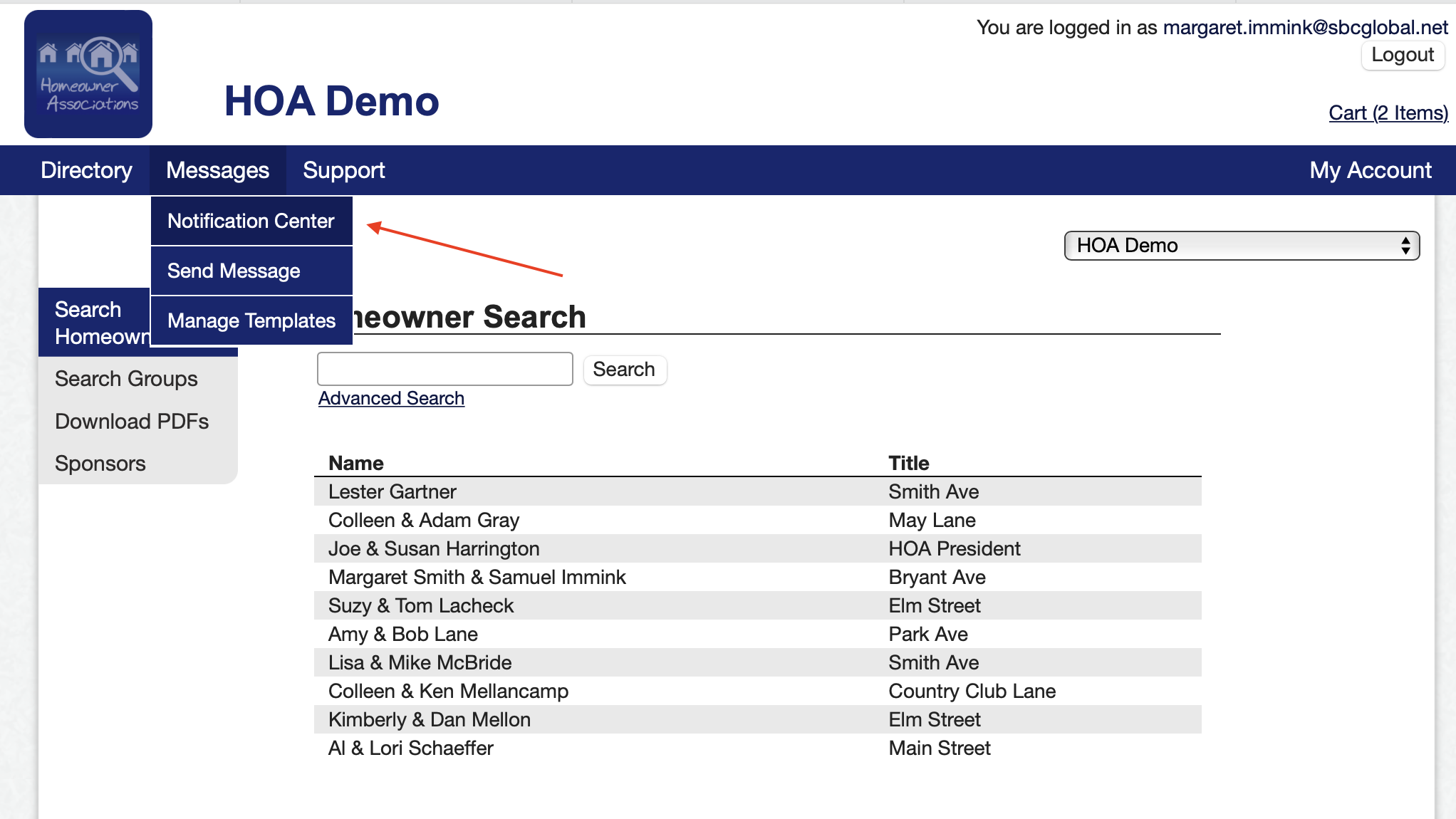
1. To view your notifications, log on to the web version and go to Messages/Notification Center.
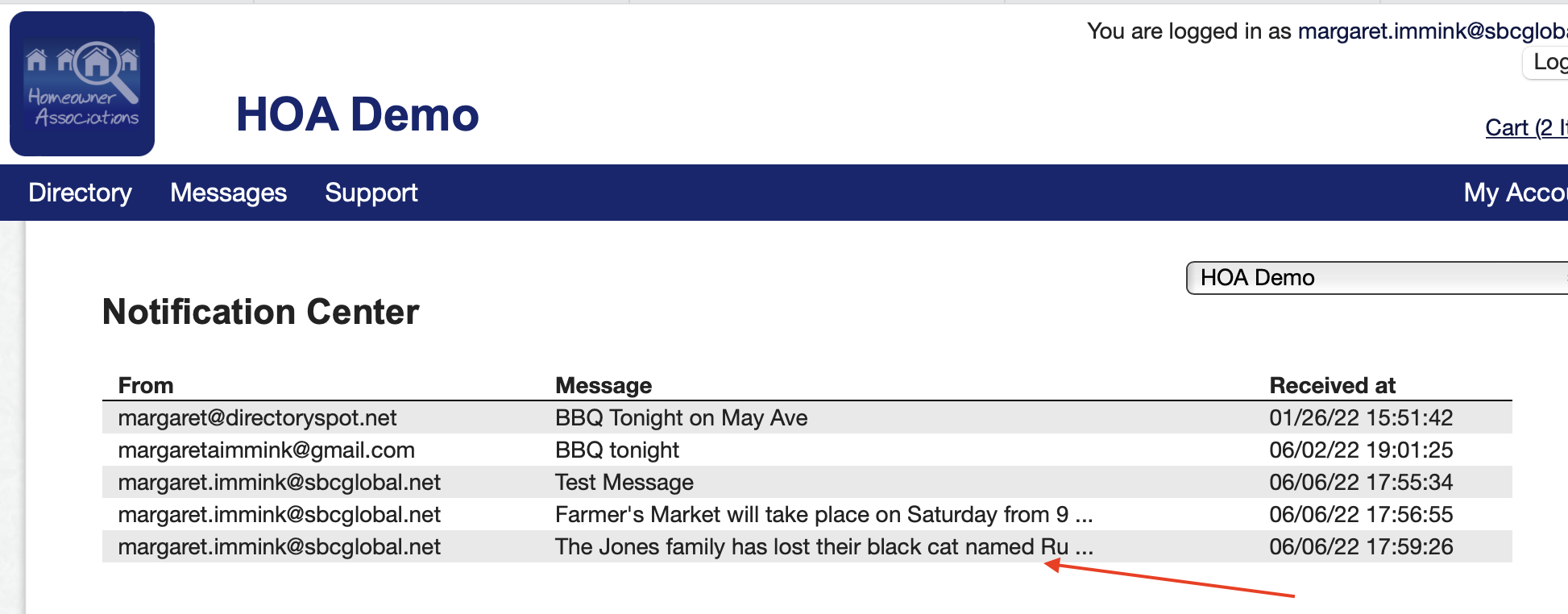
2. Click Notification Center and see all of your messages. Newest message is at the bottom.
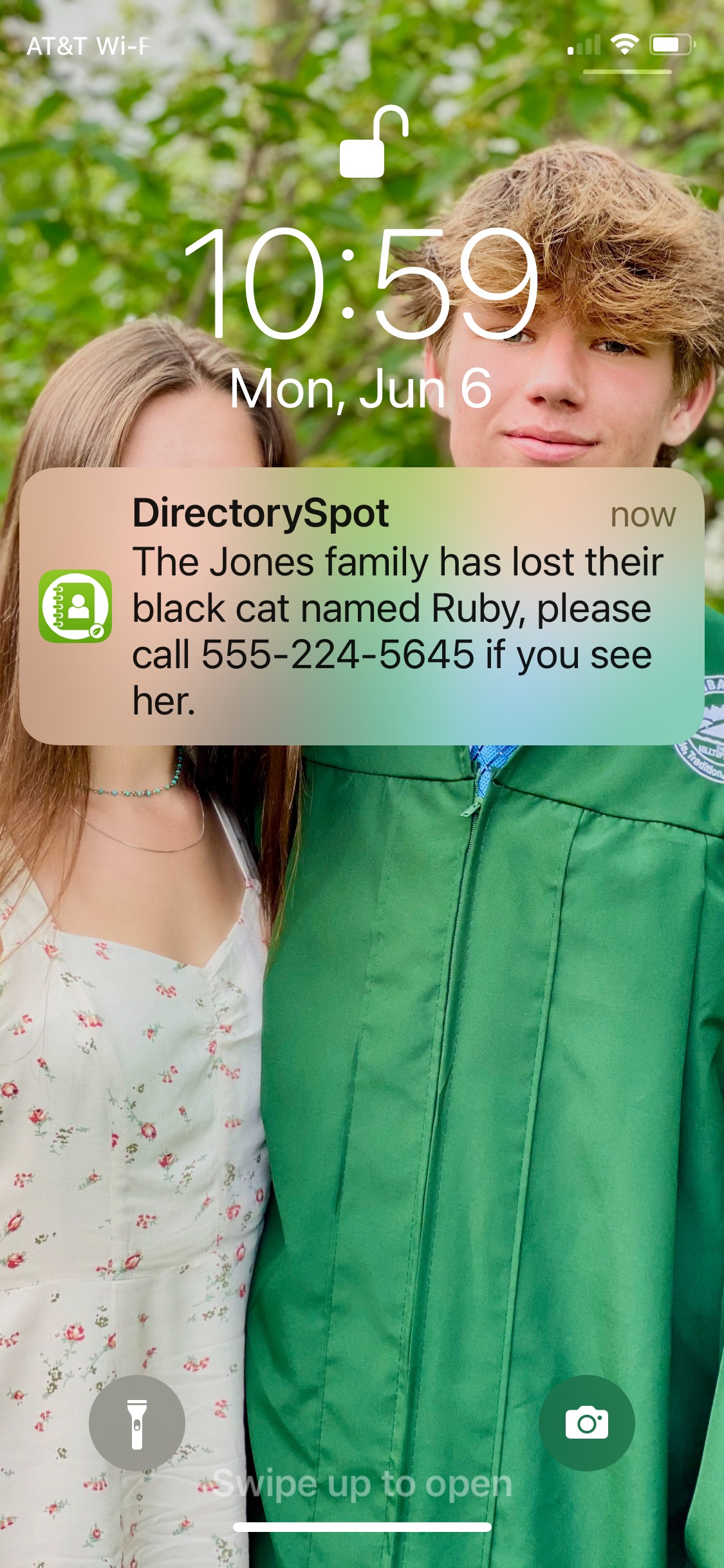
3. This is what it looked like when sent to the phone (if user has it enabled).